Kixie Review (2026)No Seat Price, and Minutes Bill Apart
 By Daan Haket · Researched and written with an AI assistant · who does what
There is no sticker to compare: no seat price is published, and minutes, AI human-voice detection (a premium add-on, on Multi-Line only), ConnectionBoost, Conversation Intelligence and DNC compliance are each priced apart, so ask for the whole basket in one written quote.
outbound sales teams living in their CRM that want a serious power dialer with local presence, SMS and automation.
low call volumes (per-seat + minutes math won't pay back), or you want monthly flexibility without contract fine print.
Transparency: the “Visit” links on this page are affiliate links — we may earn a commission if you sign up, at no extra cost to you. No vendor can pay for a better review or verdict. How we make money →
Pricing (2026)
✓ Pricing re-verified 13 Oct 2026
(2026-10-13, read on their own pricing page) No seat price is published. Three plans are listed — Professional, Single-Line PowerDialer and Multi-Line PowerDialer — and no amount is rendered anywhere on the page; the billing toggle that used to sit above the cards has gone too, so there is now no path from this page to a number. The core phone system is identical on all three; what separates them is dialling.
There is no PowerDialer on Professional, one line on Single-Line, and up to four simultaneous lines on Multi-Line — also the only tier offering AI human voice detection, as a premium add-on. ConnectionBoost, Conversation Intelligence and DNC compliance are add-ons at every tier. The plan cards claim unlimited US/Canada minutes while the FAQ published in the page's own structured data prices unlimited US and Canada minutes at $30 a month per user, so which of the two applies belongs in writing in your quote.
First US/Canada number free, extra local numbers $5.00 a month, porting in free. Texts from $0.011 each ($11 per 1,000) on a registered 10DLC number, inbound free. 7-day trial, no credit card. Plans change — always verify the live price on their site.
Category context: Communication & Voice. Across the 22 tools in this category that we researched with a public US-dollar price, the median entry price is about $30 a month (lowest paid plan as listed, per seat where the vendor prices per seat). Compare pricing conditions in the Software Cost Atlas →
The honest knock
Then read the contract term before you sign. Kixie's own billing article says seat licences can only be reduced or moved to a cheaper plan in the last 30 days of the contract term, which starts on your first payment, and that changes made during an annual cycle earn no refund or credit. Buy it with the basket priced and the renewal date in your calendar (our Renewal Radar exists for exactly this).
Watch the video review
The video version of this review, from our YouTube channel.
⚡ Short on time? Watch the 30-second verdict Short.
What Kixie does
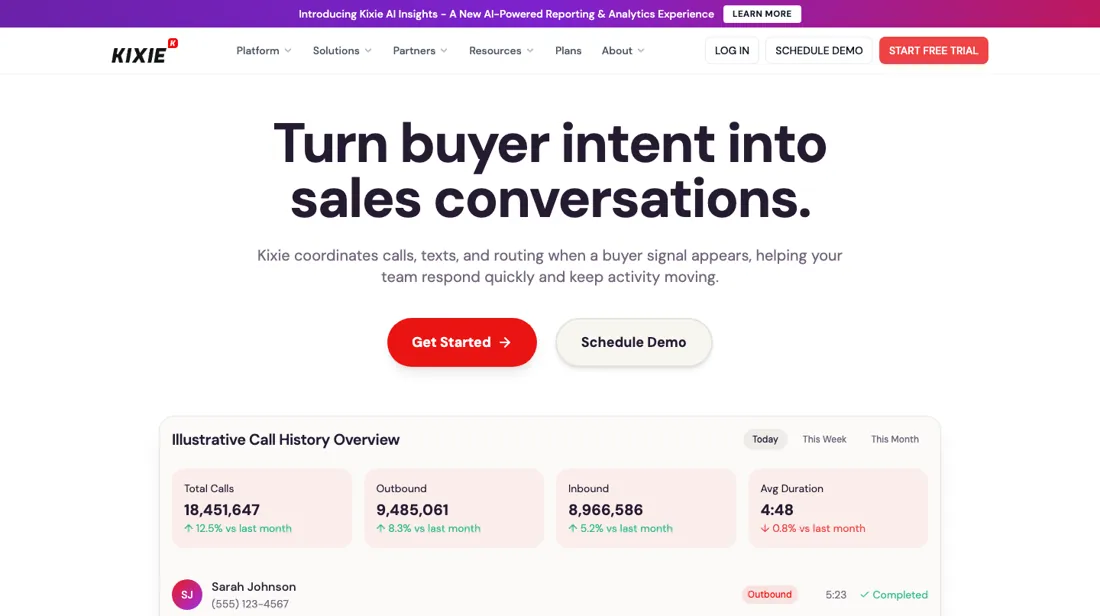
Power dialer with SMS and CRM integration for outbound sales teams. Kixie publishes no seat price: three tiers separated by how many lines they dial, with the multi-line AI voice detection, ConnectionBoost, Conversation Intelligence and DNC compliance all sold as add-ons on top.
What buyers report about Kixie
Hands-on: not tested by usReported by buyers: G2 and Trustpilot, read August 2026
Themes from the buyer-review sites listed at the foot of this page, read in August 2026. We have not run Kixie ourselves, so this is other buyers' experience rather than ours. We summarise it here because the complaints are usually the part a vendor page leaves out.
- • 4.8 on G2 across 860+ reviews — the power dialer and the CRM integration are what sales teams rate.
- • Connect rates improve measurably with local presence dialling, which is the reason to buy it.
- • Annual contracts with no mid-cycle downgrade and no refunds. Downgrades are only possible in the last 30 days, and Trustpilot reviewers describe being locked in when a quarterly renewal landed before they could cancel.
- • The official pricing page lists plans but no per-user price at all. Reviewers report real-world cost reaching $109-220 per user once AI voice detection and SMS volume are added, so get the seat rate in writing in your quote.
- • Support responsiveness and mobile app bugs recur on Trustpilot, at 3.4 out of 5 across 97 reviews (read 25 August 2026), with auto-renewal the dominant theme.
- • HubSpot users report team SMS and contact sync quirks, strict phone-number formatting and missed logs.
Pages read (August 2026): Trustpilot
When the paid plan is worth it
Kixie no longer publishes a seat price. The pricing page lists three tiers — Professional, Single-Line PowerDialer and Multi-Line PowerDialer — with a quarterly and yearly toggle but no amount rendered anywhere in the page, so the only honest comparison is what each tier contains. The core phone system is identical across all three: business phone service, bi-directional CRM integration, texting, click-to-call, live call coaching, voicemail drop, IVR, ring groups, call queues, call recording, rule-based routing and the developer API.
What you are actually paying up for is dialling. Single-Line adds one dialler line and calling session management; Multi-Line dials up to four lines at once and is the only tier where AI human voice detection is available, and that is itself a premium add-on rather than an inclusion. So upgrading buys throughput, not features, and the add-ons you were sold on stay separate lines whichever tier you land on.
How to actually use Kixie
The trial is seven days, needs no credit card, and their own claim is that you are running in about two minutes. Two practical points before you start. Numbers: your first US or Canada number is free, extra local numbers are $5.00 a month, and existing numbers can be ported in free of charge. The vendor says it handles the transfer with no service interruption, and that ported numbers stay yours if you leave.
Minutes: the plan cards say unlimited minutes covering US and Canada calls, while the FAQ prices unlimited US and Canada minutes at $30 a month per user. Establish in writing which of the two applies to the quote you are given before you count seats. Outside those countries minutes bill at current rates. Texts are $0.011 each to US and Canada numbers on a registered 10DLC number, and inbound texts are free. Connect the CRM early: HubSpot, Salesforce, Zoho, Pipedrive and Zapier are the named integrations.
Where this section comes from: our research notes (102 words)
Vendor pricing page including its plan comparison table and the FAQ block published in the page's own structured data, which carries the trial terms, number costs, minute bundle and text rates (kixie.com/pricing), first read 18 August 2026 and re-read 13 October 2026. The vendor help centre at support.kixie.com refuses scripts (HTTP 403) but opens in a browser; read there on 13 October 2026: 'Kixie Billing: Annual Contracts and Annual Bill Cycles' (support.kixie.com/hc/en-us/articles/5534691005723) for the 30-day downgrade window and the no-refund rule on annual cycles, and 'How does Kixie's Unlimited Minutes Dialing Plan Work?' (support.kixie.com/hc/en-us/articles/360051313714) for what the unlimited minutes include and exclude.
The natural comparison is PhoneBurner or JustCall — dialer peers with simpler pricing — compare all-in per-seat including minutes, and the contract terms.
Frequently asked questions
Can I drop seats or move to a cheaper plan halfway through the contract?
No. Kixie's help article 'Kixie Billing: Annual Contracts and Annual Bill Cycles' (read 13 October 2026) says user licences can only be downgraded or deleted within the last 30 days of the contract term, and the term starts on the date of your first subscription payment. On an annual cycle, added users and upgrades are prorated to the end of the prepaid year, but no refunds or credits are given for any user change during that year. Kixie's own advice is to replace an agent on an existing licence rather than add a new one.
What does 'unlimited minutes' actually cover?
Kixie's help article on its Unlimited Minutes Dialing Plan (read 13 October 2026) says only calls costing more than $0.02 a minute deduct from the minutes reserve balance. Included: incoming calls to local numbers, outgoing calls to standard-rate US and Canada numbers, UK landlines and select mobile carriers, and many EU landlines. Not included: incoming calls to toll-free numbers, some remote areas of Alaska and Hawaii, and collect, premium-rate and special-rate calls. The pricing page's FAQ prices that unlimited US and Canada plan at $30 a month per user, while the plan cards show 'Unlimited Minutes' with no price, so get in writing which applies to your quote.
Is this a hands-on review of Kixie?
This is a researched assessment, not a hands-on test — where we've used a tool ourselves, we say so explicitly. We name what each tool is good and bad at, and we earn a commission only if you sign up, at no cost to you.
- Buyer reviews on G2 and Trustpilot, read August 2026.
- 2026-10-13, read on their own pricing page.
Others in this category
Reviewed communication & voice tools that share ground with Kixie — comparable in what they do, not drop-in swaps:
New reviews, price changes we recorded, and the cost conditions we found. No sponsored placements. Unsubscribe anytime.
This is our researched assessment — not a paid placement. The “Visit” links on this page are affiliate links: we may earn a commission if you sign up, at no extra cost to you, and it never changes our take. How we review →