Pylon Review (2026)Enterprise Needs Seven Seats
 By Daan Haket · Researched and written with an AI assistant · who does what
The per-seat sticker is the entry ticket; the AI that makes the platform sing is metered separately, so a realistic modern deployment (seats + AI agent + phone) lands well above the tier price — model your full basket.
B2B SaaS teams supporting customers in shared Slack/Teams channels who want tickets, accounts and AI in one B2B-native platform.
you run classic B2C email/chat support (Zendesk-class tools are cheaper at volume), or the seat minimums exceed your team.
Transparency: the “Visit” links on this page are affiliate links — we may earn a commission if you sign up, at no extra cost to you. No vendor can pay for a better review or verdict. How we make money →
Pricing (2026)
✓ Pricing re-verified 11 Oct 2026
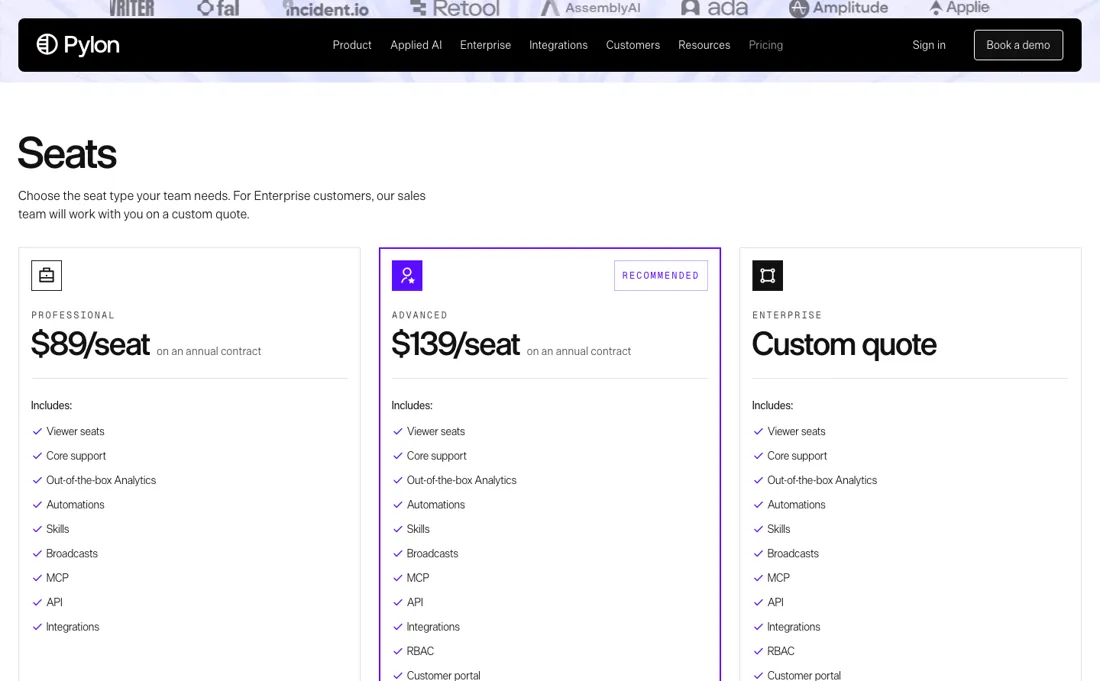
Pylon no longer publishes rates. usepylon.com/pricing was republished on 1 September 2026 as a "Book a Demo" page carrying no plans, no per-seat rates and no seat minimums; the route to a number is a scheduled demo. The figures that follow are our last reading of the published tiers and are a historical anchor, not a current quote: Starter about $59/seat/mo and Professional about $89, both on a 3-seat minimum, Enterprise about $139 on a 7-seat minimum, billed annually, with the AI metered separately (AI agents from about $100/mo scaling with volume, premium AI assistant about +$50/seat, phone about +$35/seat).
Use them to sanity-check what sales quotes you, not to budget from. Checked again 11 October 2026: usepylon.com/pricing still opens the demo booking form and shows no plans, rates or seat minimums, and usepylon.com/llms.txt returns a 404. Plans change — always verify the live price on their site.
Category context: Communication & Voice. Across the 22 tools in this category that we researched with a public US-dollar price, the median entry price is about $30 a month (lowest paid plan as listed, per seat where the vendor prices per seat). Compare pricing conditions in the Software Cost Atlas →
What the pricing page doesn’t say
That said, its B2B-native design (Slack/Teams-first support, account-based views) is a genuine fit gap that classic ticket tools fake with workarounds.
Watch the video review
The video version of this review, from our YouTube channel.
⚡ Short on time? Watch the 30-second verdict Short.
What Pylon does
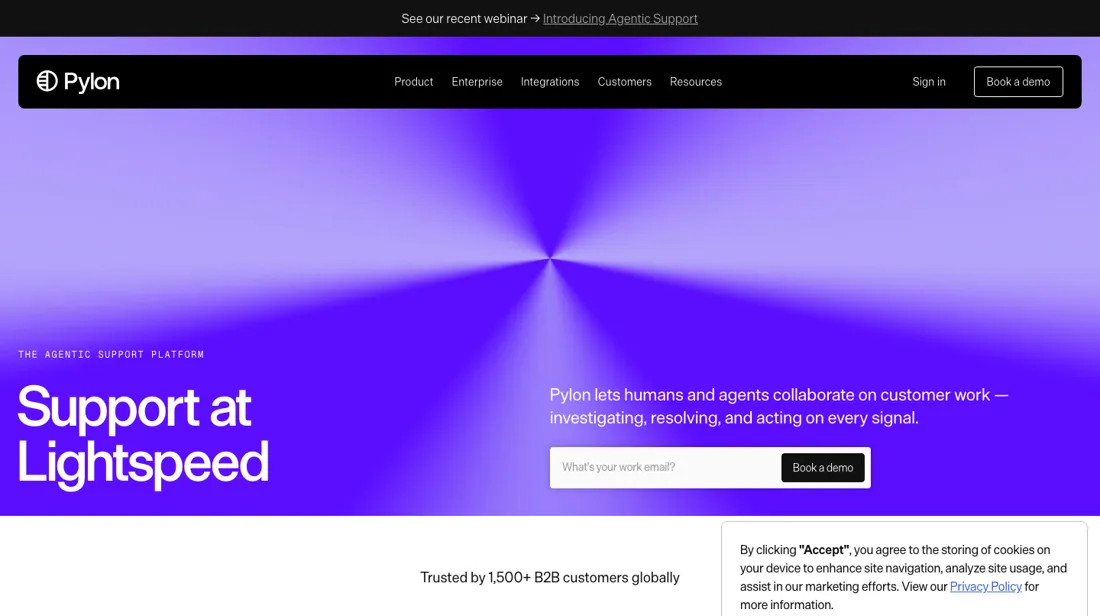
B2B customer support platform built for Slack and Microsoft Teams. Manage tickets, track issues, and deliver white-glove support directly where your clients chat.
What buyers report about Pylon
Hands-on: not tested by usReported by buyers: G2 and practitioner reviews, read August 2026
Themes from the buyer-review sites listed at the foot of this page, read in August 2026. We have not run Pylon ourselves, so this is other buyers' experience rather than ours. We summarise it here because the complaints are usually the part a vendor page leaves out.
- • 4.9 on G2 — the Slack-native workflow is what B2B teams supporting enterprise customers in shared channels actually need, and 150+ organisations have migrated off Zendesk, Intercom and Service Cloud to it.
- • AI summarisation and unified channels are named as genuinely time-saving rather than decorative.
- • There is no free plan and no free trial. You sign a paid contract before you can test the automations, AI or Account Intelligence properly.
- • When Pylon still published rates, reviewers found the $59 to $139 per seat headline was not the bill: AI add-ons, seat minimums and annual-only billing sat on top, and monthly billing was $70 and $118 against $59 and $89 annual.
- • The Slack-first design does not fit every customer base, and reviewers turn critical at scale over channel gating.
- • API and automation capabilities are weaker than the incumbents it replaces.
What the tiers were, before the page went quote-only
Pylon no longer publishes rates: its pricing page became a demo booking on 1 September 2026. The arithmetic below uses our last reading of the published tiers as an anchor, not a quote. On that reading the tiers were per seat with minimums attached, and the minimums did more work than the rates. Starter was about $59 a seat with a three-seat floor, so $177 a month. Professional was around $89, also three seats, so $267.
Enterprise was roughly $139 — but the floor jumped to seven seats, which made the real entry $973 a month. That last step is the one to look at twice. A team of three that needs something from the Enterprise feature set cannot buy three Enterprise seats; it buys seven. Divide $973 by the three people who will actually use it and the advertised $139 becomes $324 a seat. Going from Professional to Enterprise is not a 56% increase in the rate, it is a 3.6× increase in the bill, and four of those seats are colleagues you do not have.
Then there are the modules, from the same last reading, which are where a realistic deployment stopped resembling the pricing page. AI agents start around $100 a month and scale with volume; the premium AI assistant adds about $50 a seat; phone adds about $35 a seat. Put a three-person team on Professional with all three and the bill is $622 a month against a $267 sticker — 2.3× the tier price.
Do the same on Starter and it is $532 against $177, which is 3.0×. On Enterprise at seven seats it is $1,668 against $973, or 1.71×. Notice the direction of that. The modules cost the same whatever tier you are on, so the cheaper the tier, the more badly it misrepresents your actual bill — Starter's sticker is off by a factor of three. Anyone sizing this from the entry price is sizing it from the most misleading number on the page.
What you are buying for that is a genuine fit rather than a feature list: Pylon is built B2B-native, Slack and Teams first, with account-based views that classic ticket tools reproduce through workarounds. That is a real difference and it is worth money. Just model the whole basket — seats, AI agent, assistant, phone — before you compare it to anything, because the tier price alone is not a number you will ever pay.
Questions we are still checking
Facts about Pylon that would change a buying decision, and where we stand on each. An unanswered question does not mean the feature is missing; it means we have not confirmed it yet.
- Do Viewer and Integration User seats cost the same as a Member seat? Still checking
Applies to: Viewer role (select plans), Integration User role.
Why it matters: read-only colleagues and Slack-only users can make up a large share of a B2B team, and the seat minimums make every seat count.
Checked: Pylon docs: Roles & User Management (2026-10-11); Pylon pricing page (demo form) (2026-10-11)
Have a public source that answers one of these? How we review explains how we check and correct.
How to actually use Pylon
Model the full basket before you compare Pylon to anything, because the tier price is not a number you will ever pay. A three-person team on Professional with the AI agent, the premium assistant and phone comes to about $622 a month against a $267 sticker. The same basket on Starter is roughly $532 against $177 — three times the headline, because the modules cost the same whatever tier you are on.
Check the seat minimums, which matter more than the rates. Starter and Professional both have a three-seat floor. Enterprise jumps to seven, which turns an advertised $139 a seat into $324 for a team of three — so if you need one Enterprise feature, price it as $973 a month rather than as a per-seat increase. Then evaluate the thing that actually makes Pylon different rather than working through the feature list.
Connect it to the Slack or Teams channels where your customers already talk to you, and see whether an account-based view of those conversations changes how your team works. That B2B-native design is a genuine fit gap classic ticket tools paper over with workarounds — and it is either how your support runs or it is not, which is a question the trial answers in a week.
Distilled from Pylon pricing page, https://usepylon.com/pricing (vendor, checked 2026-09-01: the page is now a Book a Demo form, published 1 September 2026, and carries no rates). Tier figures are our own earlier reading of that page while it still published them. Checked again 11 October 2026: usepylon.com/pricing (still a demo form, no rates) and Pylon's docs page 'Roles & User Management' at docs.usepylon.com/pylon-docs/platform/roles-and-user-management, read 11 October 2026.
Pylon vs Zendesk, side by side
Where a vendor publishes a price, its column shows the entry price we read and when; where it does not, the column says so rather than filling in a figure from elsewhere. We do not average them into a score.
The Pylon link above is an affiliate link — we may earn a commission if you sign up, at no extra cost to you — and the other column is a plain link. Neither changes what this table says.
The natural comparison is Zendesk or Intercom — the incumbent support suites — Pylon's edge is B2B-native Slack/Teams workflows; compare full-basket cost including AI add-ons.
Frequently asked questions
Does every colleague who needs to see tickets need a full seat?
Not necessarily, but the price is unpublished. Pylon's docs page 'Roles & User Management' (read 11 October 2026) describes a Viewer role that can read issues, accounts, call recordings and analytics, leave internal notes and use Ask AI, but cannot reply to customers; it is 'available on select plans', via your account team. An Integration User works only through Slack or Linear and cannot sign in. Custom roles are Enterprise-only. Whether Viewer or Integration User seats are billed, and at what rate, is not stated: not confirmed. Ask before the seat minimums are set.
What happens to a user’s work when they leave the team?
Pylon does not delete users; an Admin deactivates them. The same docs page says deactivation removes sign-in and keeps their past messages, notes and activity, and lets you reassign their open issues. It also permanently deletes every API token they created, so anything running on those tokens stops; the docs advise creating replacement tokens first, preferably owned by a bot user. Whether a deactivated user frees a paid seat is not stated: not confirmed.
Is this a hands-on review of Pylon?
This is a researched assessment, not a hands-on test — where we've used a tool ourselves, we say so explicitly. We name what each tool is good and bad at, and we earn a commission only if you sign up, at no cost to you.
- Buyer reviews on G2 and practitioner reviews, read August 2026.
- Pylon’s own published pricing page.
- A dated screenshot of that pricing page, kept on this site as the receipt.
Others in this category
Reviewed communication & voice tools that share ground with Pylon — comparable in what they do, not drop-in swaps:
New reviews, price changes we recorded, and the cost conditions we found. No sponsored placements. Unsubscribe anytime.
This is our researched assessment — not a paid placement. The “Visit” links on this page are affiliate links: we may earn a commission if you sign up, at no extra cost to you, and it never changes our take. How we review →