CrankWheel Review (2026)
 By Daan Haket · Researched and written with an AI assistant · who does what
Mind which plan caps what: the free plan drops to 15 sessions a month after the first fortnight and Team puts everyone on a shared pool of 100, while Solo is the one paid tier with unlimited usage.
sales reps, insurance agents and consultants who need prospects to view a screen instantly with no download or install, on any device.
you need full video conferencing, webinars or team collaboration (Zoom/Meet fit better), or your call volume stays under the free tier.
Transparency: the “Visit” links on this page are affiliate links — we may earn a commission if you sign up, at no extra cost to you. No vendor can pay for a better review or verdict. How we make money →
Pricing (2026)
✓ Pricing re-verified 9 Oct 2026
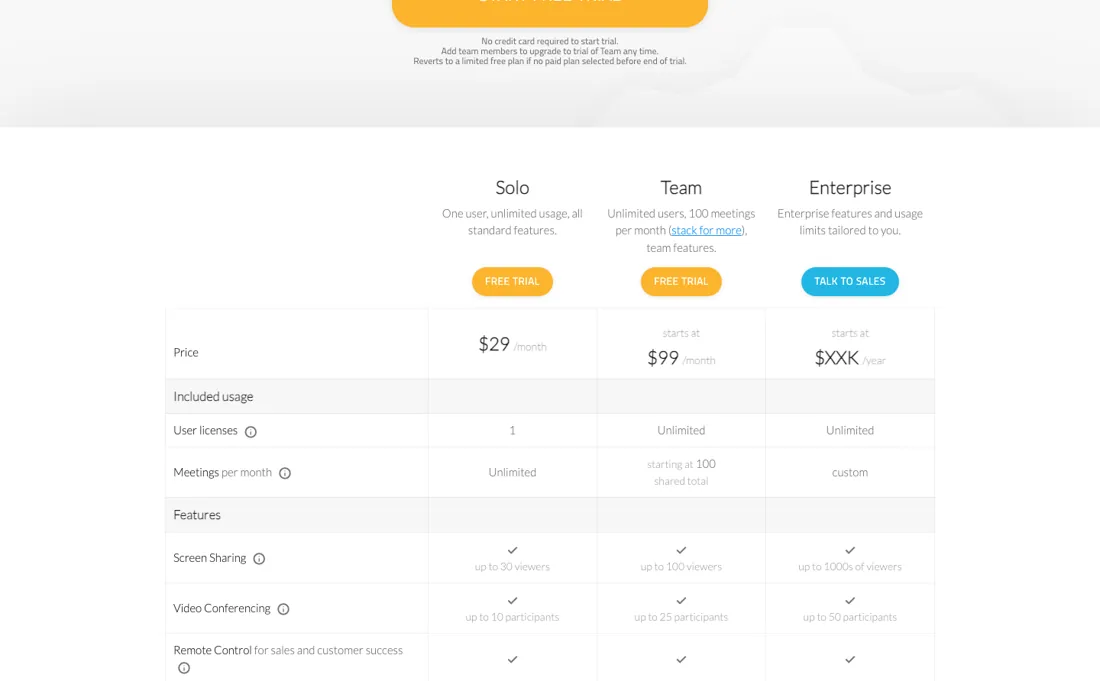
A free plan with no payment details required — unlimited usage for the first 15 days, then up to 15 sessions a month for life. Solo is $29/month for one user with unlimited usage, up to 30 viewers per share and up to 10 video-conferencing participants. Team starts at $99/month for unlimited users sharing 100 meetings a month, rising in steps: Team 200 $194, Team 500 $467, Team 1000 $882, Team 2000 $1,562.
Busy User discount plans cost less for a capped number of users — Team 100 at $59 for three users, Team 500 at $287 for fifteen. Enterprise is quoted per year and the page prints no figure. A meeting counts at 40 seconds with a viewer, or when you create a share link or segment, or on an Instant Demo call. Plans change — always verify the live price on their site.
Category context: Communication & Voice. Across the 22 tools in this category that we researched with a public US-dollar price, the median entry price is about $30 a month (lowest paid plan as listed, per seat where the vendor prices per seat). CrankWheel’s entry price of $29 a month sits roughly at that median. Compare pricing conditions in the Software Cost Atlas →
What the pricing page doesn’t say
It's deliberately narrow — instant, no-download screen sharing for sales calls — so it's excellent at that one job and thin everywhere else: no full video-conferencing suite, no deep collaboration or webinar tooling. If you want an all-purpose meeting platform, this isn't it; if you want prospects to see your screen in seconds with zero friction, that focus is exactly why it works.
Watch the video review
The video version of this review, from our YouTube channel.
⚡ Short on time? Watch the 30-second verdict Short.
What CrankWheel does
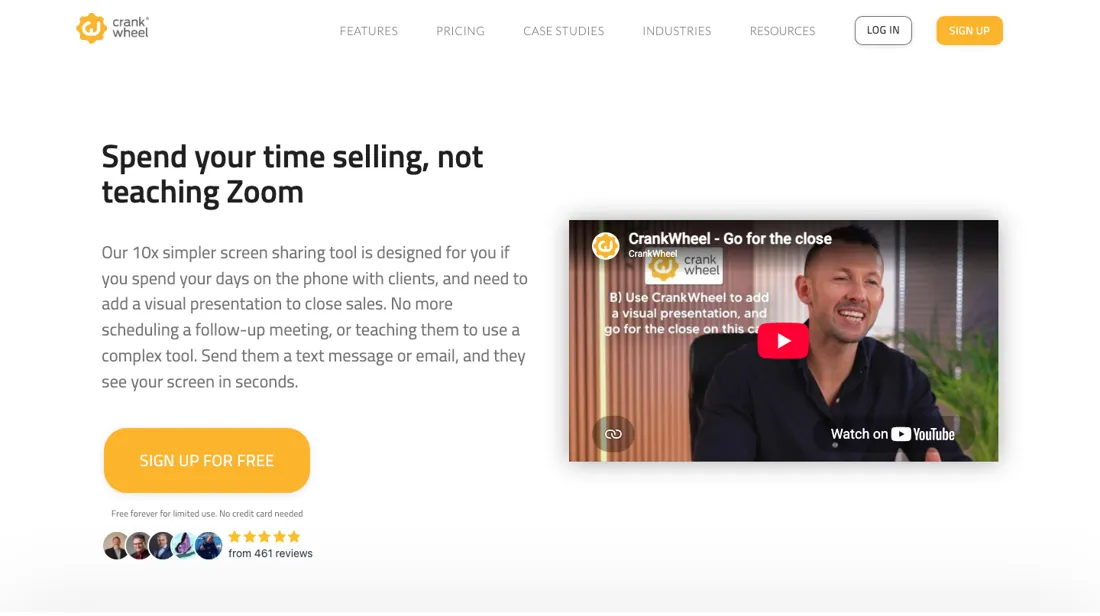
No-download screen sharing for sales calls — a prospect clicks a link and sees your screen on any device. Deliberately narrow: no video conferencing, webinars or collaboration.
What buyers report about CrankWheel
Hands-on: not tested by usReported by buyers: TrustRadius, Capterra, GetApp and Software Advice, read August 2026
Themes from the buyer-review sites listed at the foot of this page, read in August 2026. We have not run CrankWheel ourselves, so this is other buyers' experience rather than ours. We summarise it here because the complaints are usually the part a vendor page leaves out.
- • Your prospect installs nothing and joins from any device — for a phone-based sales call that removes the whole friction point. 73% of reviewers are small businesses, 38% insurance.
- • Easy enough that it needs almost no training, and support is responsive. There is a free limited tier.
- • It is not built for webinars or large meetings — deliberately lightweight, which is a limit as much as a virtue.
- • There is no full remote control like TeamViewer or AnyDesk. It is co-browsing only, and reviewers arrive expecting more.
- • Sharing video simultaneously is awkward, and selection can be slow to respond.
- • Occasional resolution and scrolling issues. $29/month individual, $99 team.
When the paid plan is worth it
The ladder runs in a direction that catches people out. Solo is $29 a month for one user with unlimited usage; Team starts at $99 a month for unlimited users, but those users share a pool of 100 meetings a month. Upgrading therefore trades unlimited meetings for a shared allowance, so a single rep who runs a lot of calls is better served by the cheaper plan than by the bigger-sounding one.
Read the meter before deciding. A meeting is counted every time you host a viewer for 40 seconds or more, create a share link or a segment from a recording, or call a prospect in an Instant Demo session. Limits reset on your signup date. Volume buys less than you would expect — Team 100 is $99, Team 1000 is $882 and Team 2000 is $1,562, so the cost per meeting falls only from $0.99 to $0.78 across a twentyfold increase.
What upgrading does not solve is a small, busy team: for that shape the Busy User discount plans are cheaper, at $59 for three users sharing the same 100 meetings.
Our monthly capture read this vendor's pricing page every month from July 2026 to October 2026, and the amounts were the same all 4 times, including $287, $467, $882 and $1,562 from the pricing above. We keep watching — the registry records what moves.
How to actually use CrankWheel
Start on the free plan rather than the trial page, because they are the same signup: no payment details are required, usage is unlimited for the first 15 days, and after that the account keeps up to 15 sessions a month for life. Launch a session from the browser or the extension and choose what to share — a browser tab, a single program window, or the whole screen — then send the link by email, text or instant message.
The viewer side is the point of the product: they connect in one click and are never asked to sign up or install anything, on any browser and any device, and the app shows you when they connect and how they engage. Two limits worth knowing before your first real call: granting a viewer remote control requires Windows or macOS on the presenter's side, and the meeting counter starts at 40 seconds, so short check-in calls still draw down a monthly allowance.
Distilled from CrankWheel's own pricing page and its free-plan page at crankwheel.com, read 21 August 2026. Re-read 9 October 2026: crankwheel.com/pricing, including the plan table, the full Team and Busy User ladders and the FAQ on usage limits, cancellation and refunds, and the free plan.
The natural comparison is Zoom or Google Meet — general meeting platforms — CrankWheel's edge is zero-friction, no-download instant sharing for live sales, not full conferencing.
Frequently asked questions
What happens when a Team plan runs out of meetings?
The meeting pool resets every month on your own signup date, not on the 1st. According to the pricing FAQ (read 9 October 2026), when you reach the limit you can spend one of the 14 Never Over Limits tokens that Team plans include, and each unblocks usage for a full working day while you decide whether to stack another Team plan; the page does not say whether the tokens renew. Recording on its own is not counted, and screen shares or meetings shorter than 40 seconds are not counted either. Solo has no meeting limit, apart from a reasonable-use clause on video-share playbacks.
Can I get my money back, and what happens to the account if I cancel?
The FAQ (read 9 October 2026) offers a 30-day money-back guarantee on the first subscription payment; after that, a monthly renewal is refunded if you ask within 48 hours and an annual renewal within one week. You cancel through the billing portal or by emailing support, and the licence runs to the end of the billing period. A cancelled account reverts to the Free plan: 1 user, 15 meetings a month, 3 viewers per meeting and one-week recording retention, without branding options. CrankWheel gives a week's notice before branding is reset to free-plan defaults and the team list is cut back to the account owner.
How long are recordings kept?
On Solo and Team, recordings stay in CrankWheel's cloud for up to 6 months after they were created or last played back, and can be downloaded to your own computer. Up to 10 years of retention is sold as an add-on (free for insurance agents, the FAQ says), Enterprise has custom retention, and the Free plan keeps recordings for one week. Source: crankwheel.com/pricing, read 9 October 2026.
Is this a hands-on review of CrankWheel?
This is a researched assessment, not a hands-on test — where we've used a tool ourselves, we say so explicitly. We name what each tool is good and bad at, and we earn a commission only if you sign up, at no cost to you.
- Buyer reviews on TrustRadius, Capterra, GetApp and Software Advice, read August 2026.
- Read on crankwheel.com/pricing, 2026-08-21, re-verified unchanged 2026-10-09.
- A dated screenshot of that pricing page, kept on this site as the receipt.
Others in this category
Reviewed communication & voice tools that share ground with CrankWheel — comparable in what they do, not drop-in swaps:
New reviews, price changes we recorded, and the cost conditions we found. No sponsored placements. Unsubscribe anytime.
This is our researched assessment — not a paid placement. The “Visit” links on this page are affiliate links: we may earn a commission if you sign up, at no extra cost to you, and it never changes our take. How we review →