 Process Street Review (2026)No Public Price, Quote Only
Pricing is opaque and jumps steeply from Startup to Pro, with seat minimums that push the real cost above the headline per-member rate — you'll need a sales call to price it. Best once recurring checklists are core to how you operate.
Visit Process Street → Affiliate link — the rest of this page is the honest version, including who should skip it.
Watch the 2-minute review
Same honest take, in video form — from our YouTube channel.
⚡ Short on time? Watch the 30-second verdict Short.
Pricing (2026)
✓ Pricing re-verified 17 Aug 2026
Process Street publishes no prices. Re-verified 2026-08-17: every tier on their pricing page, Startup included, shows Contact sales rather than a figure, and our monthly captures from July and August 2026 are byte-for-byte identical and contain no amount. What the page does publish are the limits. Startup is capped at 5 users and 10 guests, with 5,000 Data Set records, 10 automation apps, 100 automation actions a month and a public API limited to 50 calls a month.
The page describes it as a simplified Pro plan for startups. Pro comes with a 14-day free trial that needs no credit card. Figures quoted elsewhere — roughly $100 a month for Startup, the $1,500 range for Pro, per-member rates around $12.50 to $15 — do not come from Process Street and we could not verify any of them. Plans change — always verify the live price on their site.
What the price did
We capture Process Street’s own pricing page every month and keep the figures, so this is our record of the page — not a forecast, and not someone else’s summary.
There is no series to show, and that is itself the record. Our July and August 2026 captures of the pricing page share one fingerprint and contain no amount between them. The only sentence our reader could extract is the eligibility line for the Startup plan: businesses with fewer than 15 employees and under $2 million in revenue. On 17 August 2026 the page still showed Contact sales on every tier.
What Process Street does
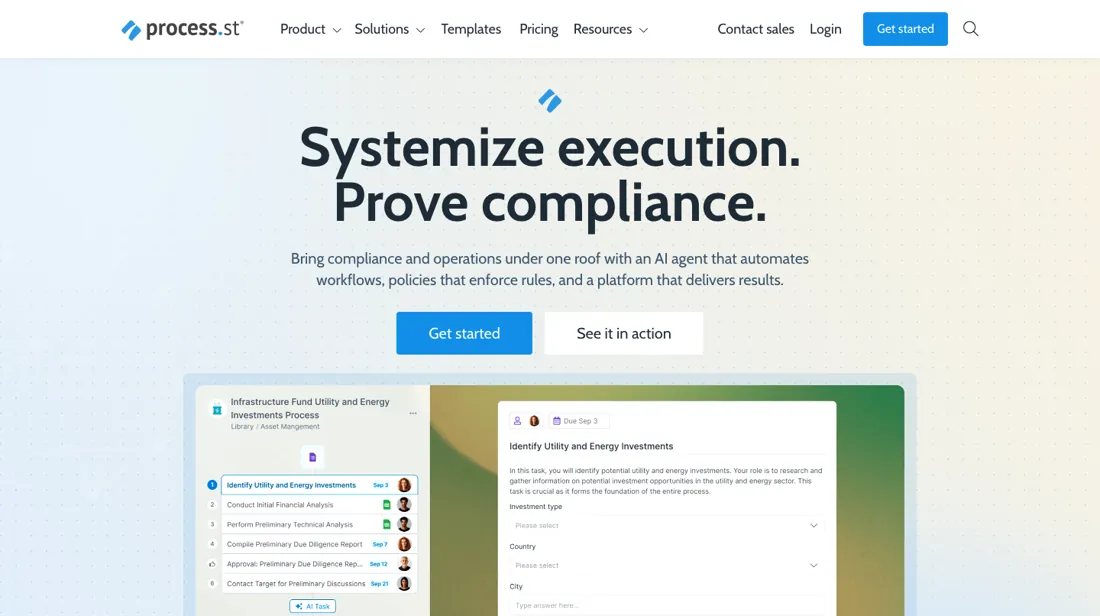
Recurring work as trackable checklists and SOPs, with approvals and conditional logic. Pricing is opaque: Startup begins near $100/month for up to five members and steps up to a custom Pro tier in the $1,500/month range, with seat minimums on top.
What buyers report about Process Street
Recurring themes from the buyer-review sites listed at the foot of this page, read in August 2026. We have not run Process Street ourselves, so this is other buyers' experience rather than ours. We summarise it here because the complaints are usually the part a vendor page leaves out.
- • It is the tool people reach for to turn SOPs into workflows that actually get followed — 4.6 on G2 across 460 reviews, over 90% would recommend.
- • Onboarding, compliance and operations teams use it daily, which is a stronger signal than a high score alone.
- • TrustRadius reviewers describe the same use case over and over, and it is narrower than 'project management': anything the business does repeatedly. Recurring work, checklists with accountability, and a reporting dashboard that shows where a process stalls.
- • There is no public per-seat price. You get a 14-day trial and a sales quote, and a 2025 change made every active user billable on new accounts — so headcount growth changes the bill in ways you cannot model up front.
- • The price figures circulating on aggregator sites appear to be package totals rather than per-user rates, and are unconfirmed. Do not budget from them.
- • For a team that only wants simple checklists, some reviewers find the depth gets in the way.
- • The one gripe that repeats on TrustRadius is native integrations — reviewers who otherwise rate it top marks want more apps connected without going through an automation layer.
Where the ratings disagree. Read TrustRadius with the sample in mind: its Process Street reviews cluster in November 2023, nearly all carry an 'Incentivized' label, and one of them is written by an account executive at Process Street itself. It is useful for what people use the tool for, not for how it is rated.
When the paid plan is worth it
You cannot weigh this on price: every tier reads Contact sales. What it publishes are the ceilings, and those are the upgrade. Startup gives you 5 users, 10 guests, 5,000 Data Set records, 10 automation apps, 100 automation actions a month, 50 API calls a month and a 5 MB cap per file. Pro raises the file cap to 100 MB, doubles Data Set records to 10,000, opens all automation apps, and turns users, actions and API calls into custom numbers. Enterprise repeats that with unlimited API calls. Two of those bite first. Fifty API calls a month is a test allowance, not an integration, and 100 automation actions is about three a day — the first workflow you genuinely automate spends it. Startup is also gated by who you are: "businesses that have less than 15 employees and under $2 million in revenue."
What upgrading does not fix is the missing number: Pro's limits are custom, so moving up trades published ceilings for negotiated ones and you still leave without a figure. Use the 14-day Pro trial, no card needed, to measure your real action and API volume — the only thing you can carry into the sales call.
Our monthly capture read this vendor's pricing page in July 2026 and again in August 2026, and the amounts were the same both times. We keep watching — the registry records what moves.
How to actually use Process Street
The shortest route to real value is the AI Document Importer. Process Street's help docs describe clicking + New in the top right corner, choosing Workflow, then Import Document, dropping in an existing SOP and clicking Generate Workflow. The importer accepts PDF, DOCX, HTML, CSV and image files, with a file size limit of 25 MB and an image limit of 20 MB, and returns tasks with form fields, approvals, stop tasks and role assignments rather than a flat checklist.
Every new account starts on a complimentary 14-day trial of the Pro plan with no credit card, so the sensible move is to import a process people run and push a live run through it inside that window. The vendor's own starter lesson budgets 10 minutes to create a workflow. The usual stall is seats and permissions. Invitations sit under the profile menu at Settings, Users & Guests. The Startup tier includes 5 users and 10 guests, and the docs state that once a limit is reached each extra person is billed pro-rata at the moment of invitation.
Distilled from Process Street pricing page and vendor help documentation (AI Document Importer, getting-started lesson, invitations), read 4 August 2026.
Process Street vs Trainual, side by side
Both columns come from the same place: each vendor’s own published pricing, read on the date shown in the sources at the foot of this page. We do not average them into a score.
Both names above are affiliate links: we may earn a commission if you sign up, at no extra cost to you. Neither changes what this table says: both columns come straight from the vendors’ own pricing pages.
The natural comparison is Trainual or a wiki — cheaper process-documentation tools.
More on Process Street
Everything we publish about Process Street links back here — the review stays the honest hub:
The ex-banker filter — the same yardstick on every review (how we review): My ex-banker filter is simple: does Process Street remove a real cost — time, errors, missed revenue — bigger than what it charges? If the job above is genuinely yours, it's worth a look. We never publish fake or “exclusive” prices, so always confirm the current plan on their site.
Frequently asked questions
What does Process Street cost?
They do not say. Every tier reads Contact sales, and two monthly captures plus our own read on 17 August 2026 found no amount on the page. The numbers circulating elsewhere are third-party estimates, so treat a quote as the only real figure and ask for it per member and per month.
Who qualifies for the Startup plan?
Process Street describes it as a simplified Pro plan and states the eligibility on the page: businesses with fewer than 15 employees and under $2 million in revenue. The hard limits that come with it are 5 users and 10 guests, 5,000 Data Set records, 10 automation apps, 100 automation actions a month and 50 public API calls a month.
Can I try it before talking to sales?
Yes, on Pro: a 14-day free trial with no credit card required, per their pricing page on 17 August 2026. That is the practical route to a number, since the trial lets you size the users and automation volume you actually need before the sales conversation prices them.
What should I weigh before buying Operations & Workflow software?
Usually it sits on top rather than replacing everything. Tools in this class tend to become the layer where work is tracked and handed off, while your existing systems stay the source of truth for their own data. Before you buy, map which tools it would replace outright and which it would merely sync with. If the answer is that it syncs with all of them, you are adding a layer rather than removing one.
Is this a hands-on review of Process Street?
This is a researched assessment, not a hands-on test — where we've used a tool ourselves, we say so explicitly. We name what each tool is genuinely good and bad at, and we earn a commission only if you sign up, at no cost to you.
- Buyer reviews on G2, Capterra and TrustRadius, read August 2026.
- Process Street’s own published pricing page.
We list our sources because most review sites do not. How we review →
Others in this category
The operations & workflow tools closest to Process Street that we have also reviewed. They overlap rather than match:
New dossiers, cost-traps we found, and tools that earned a keep — no hype, no sponsored-disguised-as-advice. Unsubscribe anytime.
This is our researched assessment — not a paid placement. The “Visit” links on this page are affiliate links: we may earn a commission if you sign up, at no extra cost to you, and it never changes our take. How we review →
Spotted an error? Tell us — we verify and fix fast, whether or not it flatters the product.